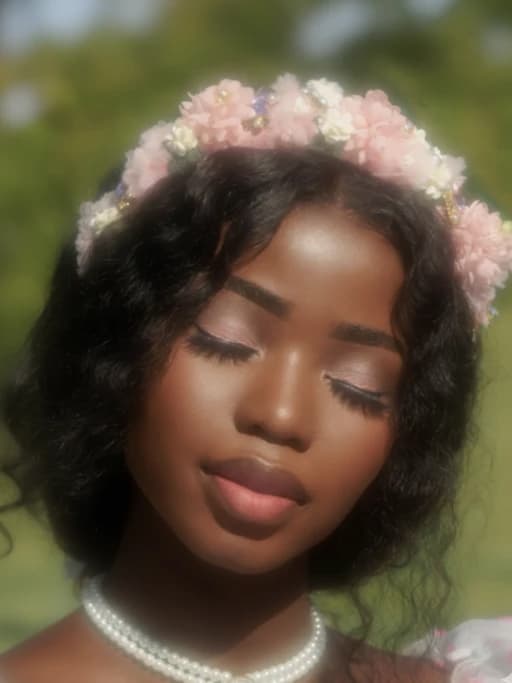

Your Colors, Your Way
Why settle for one shade? Experiment with colors on clothes, hair, backgrounds, or objects and see your vision come to life exactly the way you imagined.

Change Image Background Color Online
Instantly change the background color of any photo using AI. Whether you want a clean white backdrop for a product shot or a dreamy pastel scene for portraits, our tool detects the subject and recolors the background without affecting other elements. Perfect for eCommerce, branding, and social media posts.

Swap Clothing Colors Without Reshooting
Want to see how a shirt looks in red, yellow or any other color instead of blue? Use our AI to change the clothing colors while keeping the fabric texture and lighting natural and intact. From tops, dresses, jackets, or uniforms, you can swap outfits colors by typing a prompt only. Ideal for fashion lookbooks, virtual try-ons, and product image customization. Upload once, generate endless color versions.

Try on New Hair Colors in Real Time Effortlessly
Easily try on new hair colors in real time with Vheer's professional virtual hair color changer. Whether you have long waves, short cuts, curls, or any hairstyle, you can instantly switch your hair color. From blonde to black, pink, lavender, and more, you can apply any new color to your hair while keeping your hairstyle and facial features unchanged. And the hair recoloring result looks very natural and realistic.

Replace Eye Colors in Your Photos with Realistic Effects
Curious how you'd look with green, blue, or amber eyes? Change your eye color in any portrait with pixel-level accuracy. Our AI-powered tool lets you experiment with different shades while keeping every detail—like shine, shadows, and textures natural. The rest of your photo stays untouched, so the result always looks seamless and real. Whether you're testing a new makeup look, prepping for cosplay, or just exploring new styles, you can replace eye colors in seconds.

Adjust Skin Tone Smoothly and Naturally
Easily adjust skin tone in your images while keeping every detail—no blur, no distortion. Whether you're fixing lighting issues or creating diverse beauty looks, our AI makes sure the results stay smooth, realistic, and true to the original. Perfect for portraits, fashion edits, or creative projects.

Recolor Objects without Losing Texture or Detail
Need to change the color of furniture, cars, accessories, or packaging in your photo? Our object recolor tool can accurately detect and change the color of some specific objects while maintaining their original shape, shadows, and finish. Whether you want to preview a chair in several shades, test new sofa colors, or try bag accessory styles, Vheer lets you quickly visualize all these changes in just seconds.
Why Change the Color of Your Images with Vheer AI
Recolor Any Area in Your Photo
Easily change the color of objects, backgrounds, clothing, eyes, hair, or any selected area in your photo. Whether you want to match a new color theme, experiment with creative styles, or fix mismatched colors—do it all with just one prompt and one click.
Natural-Looking Color Changes
Powered by Flux Kontext, our picture color changer can intelligently detect lighting, shadows, and surface textures to ensure your new color blends in seamlessly. The results are smooth and realistic, making it look as if the photo was taken that way.
Easy and Intuitive Workflow
No design skills? No problem. Simply upload your image, write a simple prompt like "change the hat color to red" or "recolor the car to blue" And the AI takes care of everything, delivering high-quality recolored images in seconds.
Total Creative Freedom
From green dresses to fiery red gowns, blue skies to golden sunsets, or even blonde to pastel pink hair—you have full control. Explore endless color variations for fashion, interiors, scenery, portraits, or digital artwork.
Change Image Colors in Seconds
Quickly update any photo's colors with Vheer's online picture color changer. Want to customize a shirt's color, a flower's shade, or the whole background? Just enter a color changing prompt and guide AI to change photo color in seconds.
Watermark-free Results
Vheer can change the color of an image instantly and accurately. Users can always enjoy high-quality and watermark-free output with no limits on how many images you recolor. Preview results in real time, download with one click, and use your creations anywhere.
Smart & Automatic Color Transformation for Creative Uses
Unlock effortless creativity with smart, automatic color transformations. Simply type your color change commands, and watch your image transform. No extra steps or manual editing needed!

Restore Old Memories with Vivid New Tones
Bring life back to faded or black-and-white photos by recoloring them with natural, vivid hues. Perfect for restoring family portraits, vintage snapshots, or historical records.

Show Product Variants Without Reshoots
Easily present multiple color options of your product using a single original image. Save time and budget by recoloring product mockups for every variant.

Style Your Art with Bold New Color Themes
Want to give a winter forest a spring makeover, transform a cool-toned cityscape to a golden hour glow? Or convert a neutral product shot into a lively, colorful ad? Try new palettes to refresh your visuals instantly.
FAQs
All your questions answered.