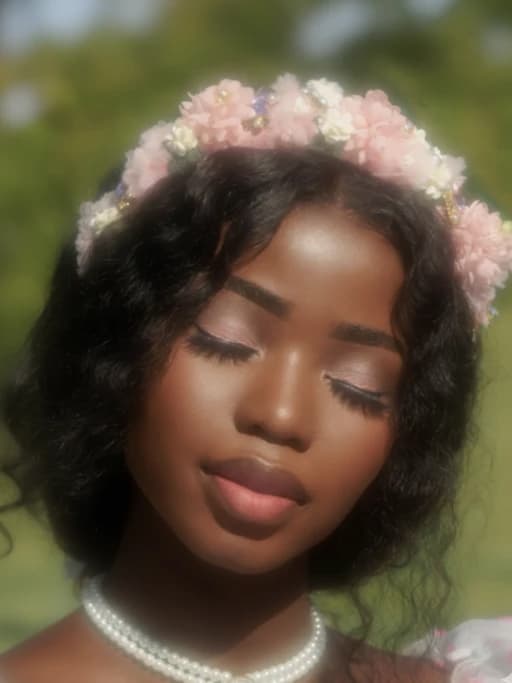

Blur the Noise, Highlight What Matters
Not every detail needs attention. Gently fade out distractions and bring focus to what truly matters in your image. Whether you're guiding the viewer’s eye or simplifying a busy background, a smart blur can instantly create balance, clarity, and visual impact.

Online Image Blur Editor for Quick & Precise Results
Looking to blur out private information or add a soft, aesthetic effect to your photos? Vheer's online image blur editor makes it easy. Upload your photo, choose from four powerful blur types—Gaussian, Pixelate, Noise, or Motion, and adjust the intensity with a simple slider for the perfect look. For convenience, our bulk image blur tool lets you upload up to 20 photos at once and apply the same blur settings across all of them in one click. Once you're done, download everything in a single ZIP file—fast, clean, and efficient. Whether you're blurring images for privacy, creating dreamy effects for design projects, or preparing content for social media, Vheer gives you full creative control. Enhance your visuals effortlessly with Vheer photo blur tool.

Add a Dreamy, Artistic Touch with Creative Blur Effects
Blurring isn't just for hiding parts of an image—it's a creative way to add mood and style. Use Gaussian blur to make landscapes look soft and dreamy. Try motion blur to add movement and a cinematic touch. Want a vintage vibe? Use noise or pixelate blur for that classic photo booth effect. You can even blur images heavily to create smooth backgrounds for text, graphics, or products. With Vheer's easy blur slider, you can control how strong or soft the blur is. Slide gently for a light touch, or go bold for a dramatic look. Whether you're designing for social media, creating stylish edits, or just adding a unique feel to your photos—a little blur can do a lot. Let your imagination lead the way!
Why Use Vheer to Blur Your Images Online
Smooth Blur Editor
Apply smooth, high-quality blur effects instantly with our optimized tools. No need to wait or install heavy software.
Blur Image in Different Styles
Choose the right blur for your purpose. Gaussian for soft focus, Pixel for censorship, Motion for action, or Noise for creative textures.
Free Image Blurring
Blur images online are completely free. No registration, no subscription. Just upload your photo, select a specific blur tool, then let Vheer make your photo blurry instantly.
Bulk Blur Made Easy
No time to process images one by one? Our bulk mode allows you to blur up to 20 photos in one go. Apply the same blur settings across all images in one click.
Secure & Private
Your images are processed directly in your browser or encrypted server-side. Nothing is saved or shared without your consent.
Adjustable Blur Strength
Use our easy slider to control the blur level. Drag the slider to increase or decrease the blur intensity as you wish. Preview and adjust until your image looks just right.
Add Blur to Images to Enhance Your Visuals
With this free photo blur editor, you can easily apply blur effects to your images. Whether you're adding a dreamy look to a portrait, creating a blurred background for focus, or hiding sensitive details, the tool gives you full control for quick and precise results.

Hide Sensitive Information
Need to share a screenshot or photo but want to protect personal info like names or faces? Use pixelate or Gaussian blur to safely obscure those details without cropping the whole image.

Add Texture with Noise Blur
For a retro or film-inspired look, noise blur adds a grainy, creative finish. It's often used in posters, album covers, and stylized edits.

Enhance Text Readability
Want to place text over a photo? Blurring the image slightly makes the background less busy so your message stands out clearly. It's a handy design trick for banners, thumbnails, or website headers.
FAQs
All your questions answered.