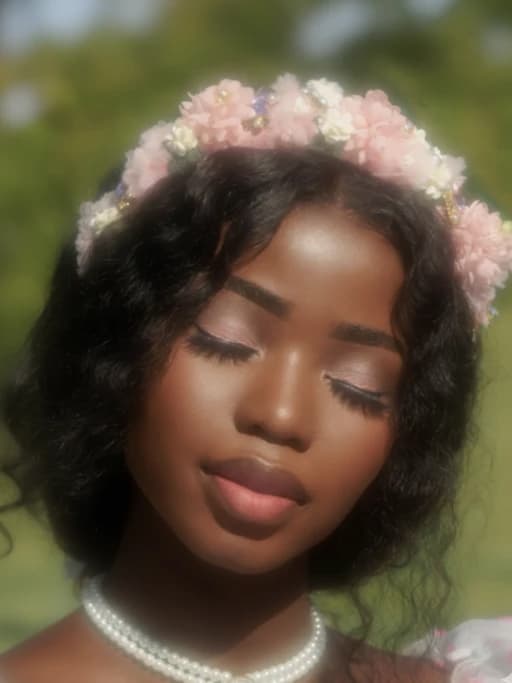

Precision Editing, Zero Hassle
Focus on your creativity, not technical limits. Swap backgrounds, change outfits, or recolor objects while the AI handles perspective, shadows, and continuity automatically.

Edit like It Was Always Meant to Be That Way
Flux Kontext brings deep, scene-level understanding to image editing, enabling smart, natural changes that feel like part of the original image. Whether you're refining facial expressions, swapping objects, or transforming entire environments, every edit respects the image's lighting, composition, and perspective. The result? No harsh edges, no visual mismatches—just fluid, context-aware adjustments that preserve realism and elevate creative precision.

Multi-Round Workflow with Built-In Visual Memory
Creativity is a process, and Flux Kontext is built to support every step. As you update your image by changing clothing, poses, lighting, or backgrounds, it intelligently remembers previous edits. Key visual elements like facial structure, composition, and style are preserved, allowing your work to evolve without losing consistency. Whether you're developing ideas or refining final designs, Flux Kontext keeps your creative flow smooth and reliable.

Effortless Object, Text, and Background Replacement
With Flux Kontext, even the most complex edits become intuitive—remove unwanted text or logos, replace a product with something new, or drop your subject into a fresh background in just one click. This AI model intelligently understands placement, scale, and shadowing, so replacements blend in naturally without manual touch-ups. It's perfect for polishing content, personalizing assets, or transforming visuals across commercial, creative, or casual use cases.

Endless Variations and Artistic Style Exploration
Want to try different styles without redoing your entire image? Flux Kontext gives you the freedom to explore bold new visual directions while staying grounded in your original image. Transform sketches into detailed illustrations or restyle your work in anime, Ghibli-inspired, comic book, oil painting, modern pop art, or retro aesthetics. You can also shift lighting, change seasons, and adjust mood or color tone, all while keeping characters, objects, and layout consistent. Let Flux Kontext be your creative engine for exploring new styles and ideas, all without ever needing to start from scratch.
Why Flux Kontext is Perfect for Image Editing & Generation
Consistent Visual Identity
FluxContext keeps character features stable across changes. Edit expressions, outfits, or settings while preserving facial structure, color schemes, and overall identity.
Localized & Precise Edits
Tweak only the part you want—change a background, add props, or adjust lighting without altering the whole image.
Iterative Prompt-Based Control
Make creative changes in steps by updating prompts. Vheer remembers your previous edits and builds upon them without losing quality.
No Watermarks & Instant Output
Your images are yours—download high-res results instantly, watermark-free. Share, reuse, or continue editing anytime.
Real-Time Generation
FluxContext runs fast and efficiently, allowing for real-time generation and editing. See your changes in seconds and experiment freely.
Unmatched Speed & Quality
Enjoy industry-leading performance with remarkably fast image generation and photo realistic quality. Get accurate results, clean typography, and stunning visuals, all without the wait.
A Smart and Super-fast Workflow to Generate, Edit, and Polish Your Images
From quick edits to complete visual transformations, Flux Context gives you the creative power to generate, modify, and enhance any image—all in one seamless, intelligent workflow. Whether you're customizing characters, designing marketing visuals, or simply improving your product photos, this smart tool helps you get professional results with ease.

Remove Watermarks from Image
Clean up your visuals in seconds by removing watermarks, logos, or unwanted text. Flux Kontext intelligently fills in the background for a smooth and natural-looking result.

Objects Removal & Replacement
Take out distractions or swap objects entirely. Vheer understands lighting and perspective, so replacements fit in naturally.

Create Consistent Character
Keep your character's identity intact across different outfits, settings, and poses—ideal for storytelling or multi-scene content.

Change Hairstyle & Clothing
Whether you're trying a sleek new cut or switching from casual to formal wear, FluxContext keeps facial features and character identity consistent while refreshing the overall style.

Style Transfer
Transform your image with artistic flair. Turn a photo into a painting, a comic, or even anime-style artwork in seconds.

Recolor an Image
Easily update the color of objects such as cars, bags, shoes, or furniture while preserving natural lighting and realistic textures.

Change Time & Weather
Turn day into night, summer into winter, or clear skies into storms—FluxContext adapts the whole scene naturally.

Image Background Changer
Replace the original background with any scene by describing it in a prompt. Whether you want a solid color, pattern, or a fully generated environment, the subject stays sharp and untouched.

Scratch to Stunning Art
Turn your rough sketches or doodles into polished, high-quality illustrations in seconds. Whether it's a character outline or a quick scene idea, Flux Kontext can bring your concept to life.

Causal Selfie to Pro Headshot
Effortlessly turn your everyday selfies into professional, high-quality headshots with smooth skin tones, balanced lighting, and clean backgrounds.

Image Restoration & Colorization
Breathe new life into old or damaged photos. Restore lost details, fix scratches, and add natural color to black-and-white images.

Customize Product Mockups
Easily customize high-quality mockups for T-shirts, cups, and more. Showcase your designs with realistic lighting and textures to quickly validate your creative ideas.
FAQs
All your questions answered.